
Tasklist
Tasklist is a web application that allows you to work on User Tasks. Tasklist is part of the EximeeBPMS distribution and ready to use by opening http://localhost:8080/eximeebpms/app/tasklist.
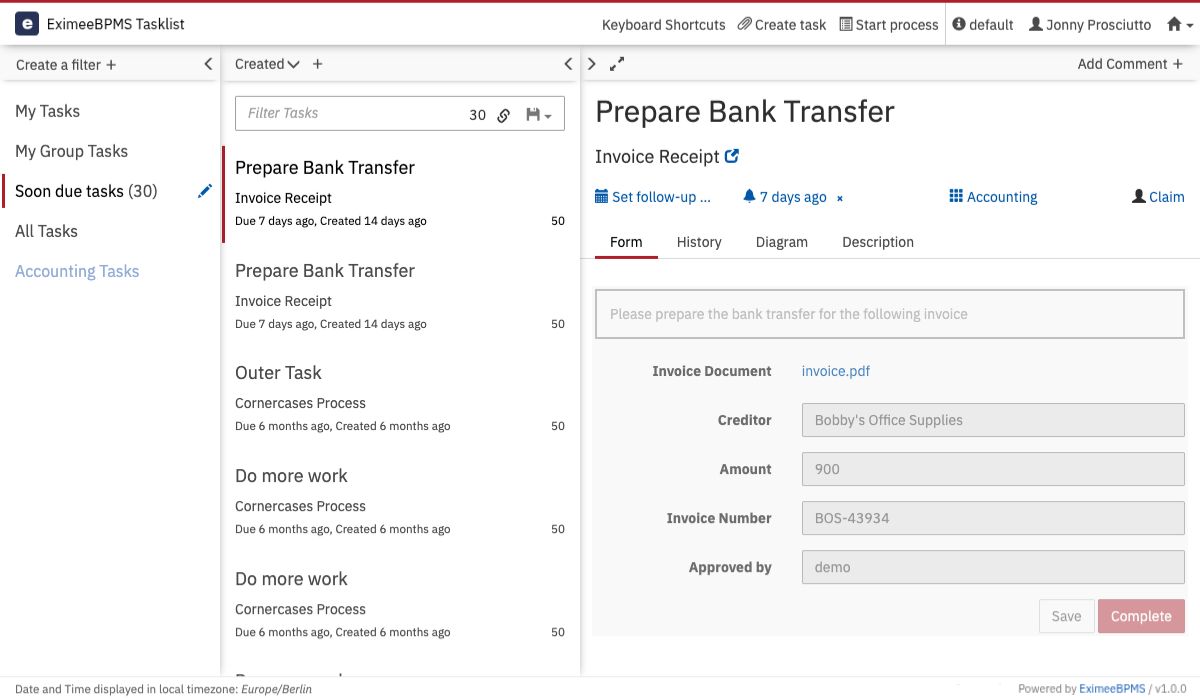
- Working with Tasklist
In the following example we will walk through a typical human workflow scenario. In our prepackaged distribution, Tasklist has four demo users which belong to different user groups.
- Dashboard
On the dashboard of Tasklist you see an overview of pending tasks. On the left side of the screen, an overview of the filters is displayed.
- Filters
In Tasklist, you can create and select filters. You can use these filters to create lists of tasks, sorted by specified criteria. To create a filter, select Create a Filter.
- User Assignment
For users to be able to work on the tasks they should work on, they must be able to find these tasks.
- Task Lifecycle
The diagram below shows the task lifecycle and supported transitions supported by EximeeBPMS.
- Plugins
Tasklist uses the concept of plugins to add own functionality without having to extend or hack the Tasklist web application.
- Configuration
You can override the default configuration of Tasklist using a central configuration file located in app/tasklist/scripts/config.js. The following configuration options are available…
- Accessibility
It is possible to use the Tasklist only with the keyboard. You can use the TAB-key to navigate to the sections of the Tasklist. To interact with an element you have focused, press ENTER.