
Admin Plugins
Admin uses the concept of plugins to add own functionality without having to extend or hack the Admin web application.
For further details about the concepts behind plugins, please read the Cockpit plugins section.
Plugin Points
Here you can see the various points at which you are able to add your own plugins.
Route
Name: admin.route
This plugin points properties contain the attribute path, which stands for the hashRoute for this page. This will be rendered when the user navigates in the browser to the url, e.g. #/my-path.
properties: {
  path: "/my-path"
}
Dashboard
Name: admin.dashboard.section
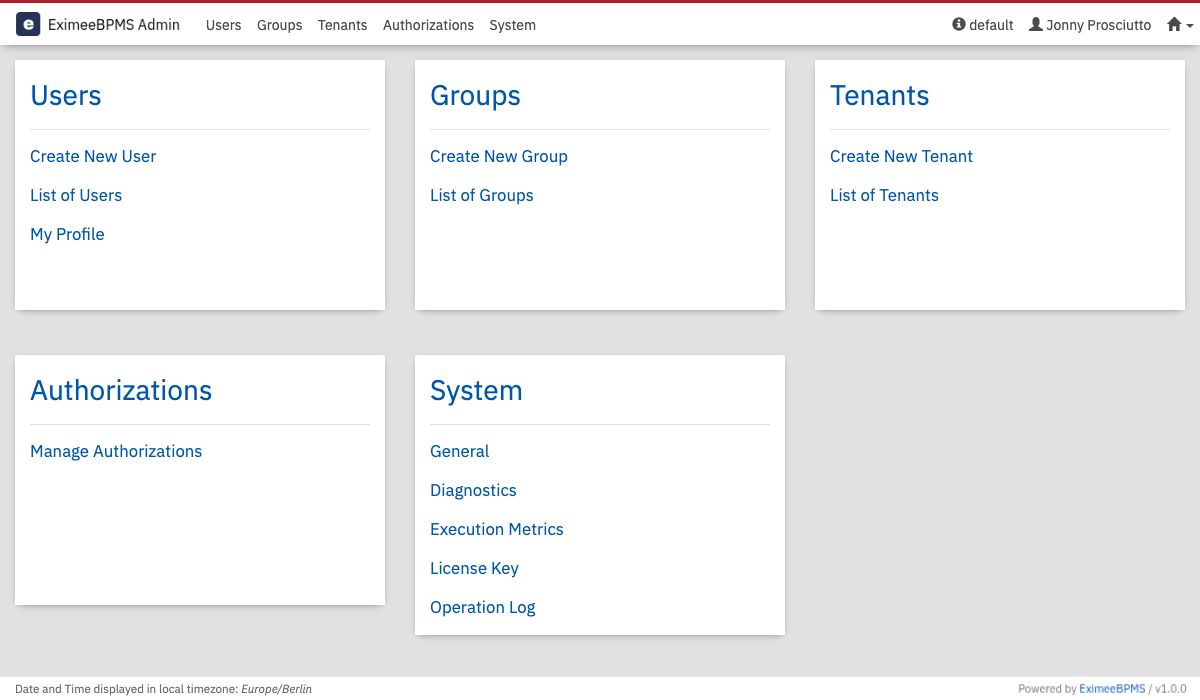
With EximeeBPMS, the Admin webapp gets a dashboard based on plugins similar to the Cockpit dashboard ones.
This plugin points properties contain the attributes label and pagePath, which are the heading of the new Section as well as the linked sub-page of the heading. If pagePath is undefined, the label will not be rendered as a link.
properties: {
  label: "My Plugin",
  pagePath: '#/myPage'
}
You can find examples of Admin dashboard plugins here.